Description
Built for Content Sites That Live on Ads, Affiliate Links, and Trending Stories
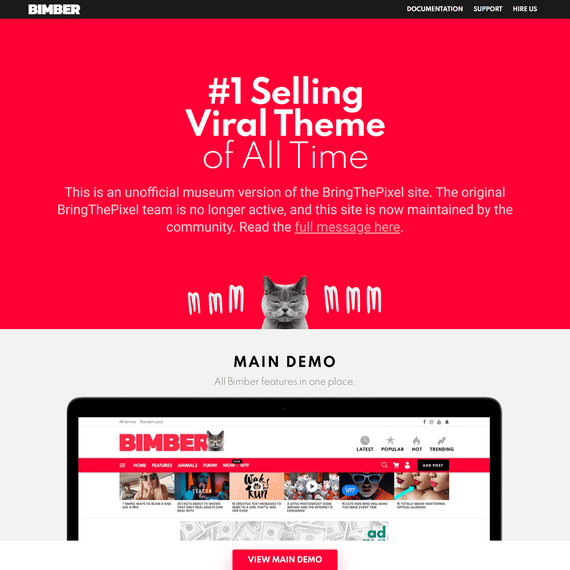
Bimber is a good fit if you’re building a magazine site, an ad-supported blog network, an affiliate content hub, or a celebrity/entertainment news site that needs to publish fast and monetize every page view. Version 9.2.5 of the Bimber WordPress theme ships with a demo-mixing system that lets you pull the ad layout from one demo, the header style from another, and the post format from a third — then combine them on one live site. That’s not a small thing. Most themes give you one look and a handful of color options. Bimber gives you a whole library of pre-built site styles and lets you cherry-pick pieces from each one.
The three features that set this theme apart from a generic magazine template are worth naming up front. First, the one-click demo installer doesn’t lock you into a single demo — you can install, swap, or remove entire demo sites without touching code. Second, the built-in AdsMania module gives you direct control over ad placement across your site, which matters a lot if display advertising is your main revenue source. Third, the dedicated Celebrities and Affiliate demo setups come pre-configured for the kind of content those niches actually need: image galleries, star bios, and affiliate-ready product blocks. None of this requires a developer to configure.
Customization Possibilities
The core idea behind Bimber is that no two content sites should look the same just because they run the same theme. The header, for instance, isn’t a fixed template — it’s a set of modular pieces you can rearrange. Logo placement, menu structure, search bar position, social icons, and top bar widgets can all be adjusted through the theme’s own setup screens, and the “How to Set Up Your Website Header” documentation walks through the exact process step by step.
Because Bimber is GPL-licensed, site owners have real freedom here — you can modify the theme’s files directly, extend its functions, or hand it to a developer for deeper customization without licensing restrictions getting in the way. That matters for agencies and larger publishers who need to bolt on custom functionality beyond what the theme settings expose. You’re not stuck with what’s in the box; you own the right to open it up and change what’s inside.
Ad placement is where a lot of this customization pays off financially. The AdsMania module — now updated in this release — lets you drop ad units into specific zones: inside post content, in sidebars, between posts on archive pages, or in sticky positions that follow the scroll. If your business model depends on impressions, this level of placement control is the difference between a site that monetizes well and one that just has ads scattered around.
Design Elements & Components
Bimber’s component library covers the pieces that content-heavy sites actually need day to day. Post layouts support pagination, so long-form articles or listicles can be split across multiple pages — useful for ad-supported sites where more pageviews mean more revenue. There’s also an auto-load-next-post feature, which keeps readers moving from one article to the next without them needing to click back to a listing page.
The frontend uploader is one of the more practical inclusions here. It lets registered users or contributors submit content directly from the site’s frontend rather than logging into wp-admin, which is a real time-saver for sites that rely on community submissions or a distributed team of writers. Pair that with the NSFW content-flagging feature, and you’ve got a system built with an eye toward the messier realities of publishing viral, aggregated, or user-submitted content — not just polished editorial pieces.
For sites that care about mobile page speed, Bimber includes AMP support that can be switched on through the theme settings. Given how much traffic to entertainment and affiliate content arrives from mobile search and social links, having AMP as a built-in option rather than a bolted-on plugin dependency is a meaningful design decision, not just a checkbox feature.
Layout Options
Layout in Bimber isn’t confined to picking a homepage template and calling it done. Because demos can be mixed, you might run a homepage layout borrowed from the Celebrities demo, a single-post layout from the Affiliate demo, and a custom header built from scratch. The theme’s structure is designed around this kind of recombination rather than treating each demo as a sealed, all-or-nothing package.
Elements after post content — related posts, author bios, comment sections, ad blocks, or custom widgets — can be arranged and reordered through the theme’s settings, as covered in the “Elements After Post Content” documentation. This is a detail that often gets overlooked in theme design, but it directly affects reader engagement and, on ad-supported sites, additional ad exposure right where readers are already looking.
Tracking code integration is built into the layout system too. Whether you’re running Google Analytics, a conversion pixel for an affiliate network, or custom tracking scripts, Bimber gives you a dedicated place to add these codes without editing header files directly. For affiliate marketers running multiple tracking pixels across different networks, this saves a lot of repetitive manual work.
Customization in Practice
Consider a celebrity gossip site pulling from wire services and reader tips throughout the day. The Celebrities demo gives that site a visual foundation — image-heavy post cards, trending sidebars, gallery layouts — right out of the gate. Add the frontend uploader for reader tip submissions, turn on NSFW flagging for sensitive image content, and set up AdsMania placements around the high-traffic gallery pages. That’s a functioning celebrity news operation built from theme settings alone.
Now picture an affiliate marketing site reviewing consumer products. The Affiliate demo — updated in this version — provides comparison-friendly layouts and content blocks suited to product roundups. Combine that with paginated posts for “top 10” style articles (more pages, more ad impressions, more affiliate link exposure) and auto-load-next-post to keep readers browsing through your review catalog. Multilingual support extends this further for affiliate sites targeting several regions or language markets from a single install, letting you translate the Bimber WordPress theme’s interface elements without switching to a different platform for each locale.
A third scenario: a general content aggregator or link-blog network monetized almost entirely through display ads. Here, the header customization tools matter for branding across multiple sub-sites or categories, while the ad management system handles the real work of maximizing placements without slowing the site down. Because everything is manageable through documented setup guides — installation, updates, translation, ad setup — a small team or solo publisher can run this kind of operation without a dedicated development hire.
Frequently Asked Questions
Can I combine features from more than two demos, or is mixing limited to pairs?
Bimber’s demo system isn’t limited to pairing just two demos together. You can pull header styles, homepage layouts, post formats, and ad configurations from multiple different demos and combine them on a single site. The one-click installer treats each demo’s components as modular pieces rather than a fixed package, so the mixing isn’t restricted to a simple either-or choice.
Does the AdsMania module replace the need for a separate ad management plugin?
AdsMania is built directly into Bimber and handles placement zones across posts, archives, and sidebars, so most sites won’t need an additional ad management plugin for basic display advertising. It’s been updated in this release, which suggests ongoing attention to how ad placement works within the theme. That said, sites with more complex programmatic ad setups may still choose to layer in specialized ad tools alongside it.
How does the frontend uploader handle content moderation for user submissions?
The frontend uploader lets contributors submit posts and media without accessing wp-admin, which is particularly useful for tip-based or community-driven sites. Combined with the NSFW flagging feature, site owners get a practical way to mark or filter sensitive submitted content before it goes live. The specific moderation workflow is covered in the theme’s dedicated documentation on using both the frontend uploader and NSFW features together.