Description
The Hero Page That Started a Design Trend
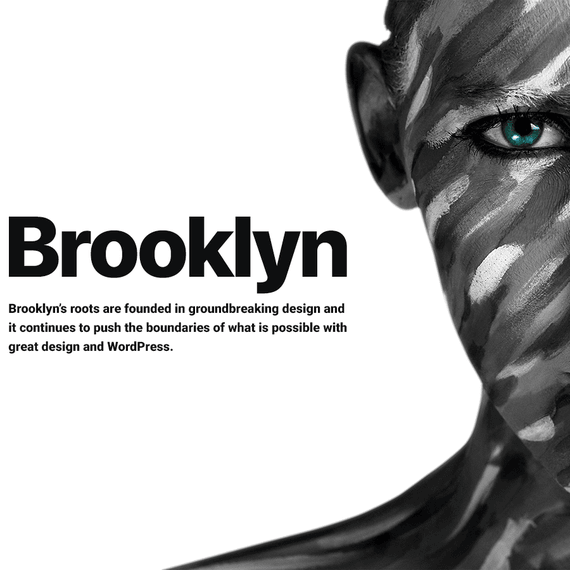
Long before full-screen “Jumbotron” headers became the default on every website builder, Brooklyn was already doing it. That’s the first thing worth knowing about this theme: it didn’t follow a trend, it set one. The hero page concept — a bold, image-driven introduction that greets visitors the moment they land on your site — has become such a standard piece of web design that people forget someone had to do it first. Brooklyn did, and it still handles that opening moment better than most themes released years after it.
What makes Brooklyn worth a second look today isn’t just that history, though. It’s the combination of a genuinely one-click setup process, a library of over 256 pre-built templates, and 50-plus complete demo websites that cover everything from law firms to pizza shops. Add in the drag-and-drop WPBakery Page Builder and Slider Revolution for cinematic sliders and video backgrounds, and you’ve got a theme that gives you a finished-looking site before you’ve written a single line of custom CSS. This is a GPL-licensed product, so you get the freedom to modify, adapt, and reuse the code across your own projects without the usual licensing headaches.
How Much Can You Actually Customize?
This is usually the first question anyone asks before committing to a theme, and it’s a fair one. With Brooklyn, the answer leans heavily toward “almost everything.” The WPBakery Page Builder integration means you’re working visually — drag a module here, resize a column there, preview instantly — rather than guessing how a shortcode will render. Because WPBakery ships included, there’s no separate plugin purchase to track down or configure before you start building.
Beyond the page builder itself, Brooklyn gives you control over header styles, so a real estate site can open with a clean, corporate-feeling banner while a wedding planner’s homepage uses a soft, image-forward intro instead. Branding consistency carries through the whole build: colors, fonts, spacing, and button styles apply sitewide, so a photographer’s portfolio and a law firm’s service pages don’t end up looking like they came from two different toolkits. For anyone running an agency and building sites for multiple clients, that kind of consistency saves real time — you’re not rebuilding a design system from scratch for every project.
Slider Revolution adds another customization layer entirely. Full-screen video backgrounds, layered animations, carousel-style testimonials — these aren’t bolted-on extras, they’re baked into how Brooklyn expects you to build pages. A fitness studio can run a looping video of a training session behind its homepage headline. A hotel can rotate through room photography with smooth transitions. None of it requires touching a template file.
What Design Elements Come Built In?
Brooklyn’s component library is deep enough that most projects won’t need anything outside of what’s already there. You get more than 60 modular block elements — think pricing tables, testimonial sliders, call-to-action sections, countdown timers, and icon boxes — all styled to match whichever demo you’re starting from, but flexible enough to restyle completely.
The portfolio modules deserve a specific mention, since they’re built with dynamic filtering baked in. A photographer can organize a gallery by shoot type — portrait, wedding, commercial — and let visitors filter without reloading the page. Designers and creative agencies get the same benefit for case studies. It’s a small feature on paper, but it changes how visitors browse your work, and it’s the kind of detail that separates a portfolio built with intention from one that’s just a grid of images.
Blog layouts get similar attention. You’re not stuck with one format — Brooklyn offers classic list-style posts and grid-based layouts, plus color and format customization so a magazine-style blog looks distinct from a minimal personal one. Buttons, dividers, and call-to-action blocks are reusable across every layout, which means once you’ve settled on a look, applying it to new pages is mostly a matter of dragging in the same elements again.
Which Layout Fits Your Business?
Here’s where Brooklyn’s range really shows. The 50-plus pre-built websites aren’t generic templates with different photos swapped in — they’re built around specific industries, and it shows in the layout choices. A restaurant demo emphasizes menu presentation and reservation calls-to-action. A medical or dental demo prioritizes service listings and appointment booking sections. A real estate layout is structured around property listings and search filters. A gym or personal trainer demo leans on bold imagery and class schedules.
Creative fields get their own treatment too. Photographers, interior designers, and artists have access to portfolio-first layouts where the visual work leads and text supports it. Consulting firms, law practices, and corporate agencies get more structured, text-forward layouts that prioritize credibility and clear navigation. Even niche cases — auto rental, cleaning services, logistics, event planning — have a demo built around how those businesses actually present information to customers.
Because every demo imports in a single click, you’re not assembling a layout section by section before you can see whether it fits. You import the one closest to your industry, then adjust as needed — swap a hero image, rewrite headline copy, rearrange a service section. It’s a much faster starting point than building a layout from a blank canvas, especially for anyone who isn’t a designer by trade but still wants their site to look considered rather than default. And because the underlying code is lightweight, these layouts don’t come at the cost of load times — Brooklyn is built with Core Web Vitals in mind, so the visual richness doesn’t translate into a sluggish site.
Compatibility & Requirements
Before installing Brooklyn, it’s worth checking your environment against what the theme actually requires. Brooklyn is currently at version 5.02 and needs WordPress 5.0 or later, along with PHP 7.4 or later, to run properly.
- Compatible with WordPress versions 6.0.x through 7.0.x, covering 6.0, 6.1, 6.2, 6.3, 6.4, 6.5, 6.6, 6.7, 6.8, 6.9, and 7.0
- Facebook integration supported for social features
- Requires WordPress 5.0 minimum and PHP 7.4 minimum to install and run
Because Brooklyn is kept current with newer WordPress releases, you’re not locking yourself into an outdated foundation. That matters more than people realize — a theme that falls behind on compatibility becomes a liability the moment WordPress core updates in a way it wasn’t built to handle. Brooklyn’s ongoing version support helps sidestep that problem entirely.
Frequently Asked Questions
Can I use Brooklyn for an online store?
Yes. Brooklyn includes e-commerce-oriented demos and is built to work within a standard WordPress and WooCommerce setup. You can structure product pages, categories, and checkout flows using the same WPBakery tools you’d use for any other page, which keeps your shop’s design consistent with the rest of your site.
Do I need to install WPBakery and Slider Revolution separately?
No. Both premium plugins are included with Brooklyn, so you won’t need to purchase or activate them on your own. They’re already integrated into the demo content, meaning imported pages arrive with sliders and builder elements ready to edit rather than needing setup from scratch.
How different are the 50+ demos from one another?
They’re built around distinct industries rather than being color variations of the same layout. A law firm demo, a restaurant demo, and a photography portfolio demo each use different section structures, navigation priorities, and content blocks suited to that type of business. That said, every demo can still be reshaped using the drag-and-drop builder if you want to mix elements from different layouts.
Will my existing content transfer if I switch to Brooklyn?
Switching themes generally means rebuilding pages around Brooklyn’s layout system rather than transferring designs directly, since it uses its own template structure and modular blocks. Text and media content — posts, images, product listings — remain intact in your WordPress database regardless of theme changes. The one-click demo import is meant for starting a new layout, not migrating an existing design, so plan to rebuild custom pages using Brooklyn’s builder tools after switching.