Description
The Enfold Aesthetic: Where Clean Design Meets Purposeful Flexibility
Enfold is a meticulously crafted WordPress theme engineered for those who refuse to compromise between visual elegance and functional depth. From its first impression, Enfold communicates professionalism through clean lines, generous whitespace, and a typographic hierarchy that guides the eye with precision. Whether rendered on a 27-inch desktop monitor or a compact smartphone screen, every layout adapts with fluid grace, maintaining visual integrity across the full spectrum of modern devices. This is not a theme that merely checks the “responsive” box — it is built from the ground up to treat every screen size as a first-class design environment.
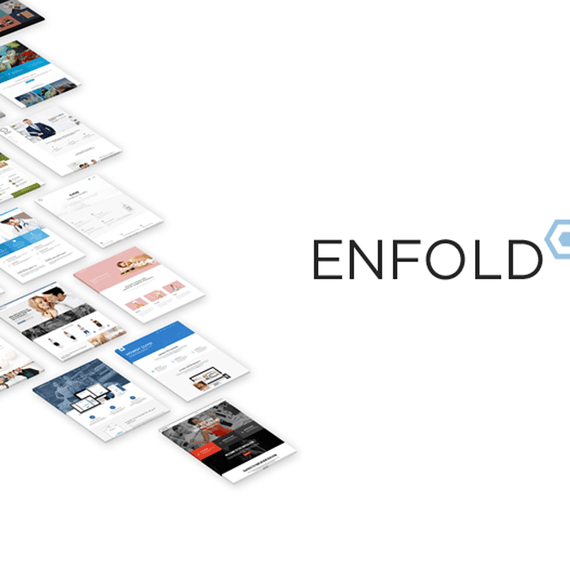
The design philosophy behind Enfold centers on restraint without sacrifice. Its modern aesthetic avoids visual clutter while providing an almost limitless canvas for creative expression. The theme ships with more than 20 predefined skins, each representing a distinct visual personality — from bold and corporate to minimal and editorial. These skins are not rigid templates but starting points: every color, font pairing, background treatment, and spacing value is editable through an intuitive backend interface. The result is a theme that feels bespoke without requiring a single line of custom CSS, though experienced developers who want to extend it further will find the codebase well-organized, thoroughly commented, and built for extension.
Released under a GPL license, the Enfold WordPress theme represents a commitment to open, community-driven development. Its architecture is built on the proprietary Avia Framework, a robust foundation that handles everything from dynamic layout construction to responsive breakpoints, giving designers and developers a stable, battle-tested platform beneath every pixel of every page. With an active community exceeding 50,000 registered users and hundreds of thousands of support forum posts, Enfold has earned its reputation as one of the most trusted multi-purpose themes in the WordPress ecosystem.
Key Design Sections & Elements: A Feature Architecture Built for Real Websites
The Drag-and-Drop Template Builder
At the heart of Enfold’s content creation experience is a unique drag-and-drop template builder developed exclusively for this theme. Unlike generic page builders grafted onto a theme as an afterthought, this builder is deeply integrated with Enfold’s design system, ensuring that every element you place on a page inherits the theme’s typographic rules, spacing logic, and responsive behavior automatically. The builder operates as a content editor, meaning it governs the rich, flexible body of your pages and posts — giving you precise control over layout columns, content hierarchy, and element arrangement without touching the header or footer structure, which are managed through their own dedicated settings.
The library of available builder elements is extensive and thoughtfully categorized. Columns allow you to construct multi-column layouts of virtually any proportion. Sliders, galleries, and video embeds bring rich media into the content flow. Interactive components like tabs, toggles, and accordions help organize dense information into scannable, user-friendly formats. Conversion-focused elements such as call-to-action buttons, pricing tables, and testimonial blocks give marketing-oriented pages the tools they need to perform. Data tables, team member grids, and countdown timers round out a toolkit that covers the vast majority of real-world website requirements without requiring additional plugins.
Slideshow & Visual Media Systems
Enfold includes two distinct slideshow systems to serve different use cases. The 2D + 3D LayerSlider — included as a bundled plugin — enables the creation of cinematic, animated slide presentations with layered content, keyframe animations, and sophisticated transition effects. For simpler needs, the built-in 2D Easy Slider provides a streamlined interface for assembling clean, fast-loading slideshows in a matter of seconds. Both systems are fully optimized for mobile devices using hardware-accelerated CSS3 transitions, ensuring smooth performance even on lower-powered smartphones. Video slideshows are also supported, with compatibility for YouTube, Vimeo, and self-hosted video files, allowing motion to drive the visual narrative of any page.
Typography, Color, and Styling Controls
Typography is treated as a core design discipline within Enfold, not an afterthought. Advanced typography options give administrators granular control over font families, weights, sizes, line heights, and letter spacing for every text element across the site. The backend color picker system provides unlimited color customization, meaning every interface element — from button backgrounds to link hover states to section dividers — can be adjusted to match an exact brand identity. Wide and boxed layout versions are available, and advanced header options allow for multiple header styles, sticky navigation behavior, and transparent overlay configurations to suit different design directions.
Customization Without Code: Backend Power for Every Skill Level
One of Enfold’s defining strengths is its ability to empower users across the full spectrum of technical expertise. A small business owner with no development background can log into the WordPress admin panel, navigate to the theme options, and make sweeping visual changes — switching a predefined skin, adjusting the global color palette, uploading a custom logo, and configuring the footer layout — all within a single, logically organized settings interface. Every option is presented with clear labels, live preview capabilities where applicable, and contextual help that eliminates guesswork.
The visual shortcode editor extends this no-code philosophy into content creation, offering a preview-enabled interface for inserting complex elements like pricing tables, multi-column layouts, and styled buttons into pages and posts. The contact form builder allows administrators to construct and modify forms directly from the backend — adding or removing input fields, dropdowns, checkboxes, and text areas without touching PHP or JavaScript. For those who need to deactivate responsive behavior for specific deployment scenarios, a single toggle in the backend disables the adaptive layout entirely, providing a fixed-width experience when required.
Child theme support ensures that any custom CSS or PHP modifications made by developers are preserved across theme updates. A basic child theme is available for download, providing a clean starting point for deeper customization projects. Additionally, more than 30 PSD files are included, covering nearly every page template visible in the default demo, giving design teams the source files they need to prototype and iterate before building in WordPress.
Build Your Vision: Integrations That Extend Every Capability
WooCommerce & eCommerce
Enfold is fully WooCommerce-ready, transforming any WordPress installation into a capable online store with minimal configuration. The theme’s design system extends seamlessly into WooCommerce templates, ensuring that product pages, category archives, cart layouts, and checkout flows match the overall visual identity of the site rather than defaulting to generic WooCommerce styling. WooCommerce Bookings support adds time and date-based reservation functionality, making Enfold equally suitable for service businesses, rental operations, and appointment-based workflows as it is for traditional product-based retail.
Multilingual, Events & Newsletter Tools
WPML plugin compatibility makes Enfold a strong choice for international businesses that need to deliver content in multiple languages. The theme is also translation-ready through standard MO/PO files, and more than 20 language files are included out of the box — covering English, German, French, Spanish, Italian, Japanese, Arabic, Russian, Chinese (both Simplified and Traditional), Korean, and more. An RTL stylesheet is included for right-to-left languages such as Arabic and Hebrew. Events Calendar and Events Calendar Pro integration brings event management into the site structure, while native Mailchimp integration allows newsletter signup forms to connect directly to email marketing lists. Ajax instant search delivers real-time results as users type, significantly improving the on-site search experience.
Use Cases: Who Should Choose Enfold?
Business and corporate websites benefit from Enfold’s professional aesthetic, structured layout options, and the ability to present services, team members, testimonials, and contact information in a polished, conversion-oriented format. A consulting firm, for example, can leverage the pricing table elements, call-to-action blocks, and multi-column service grids to communicate value clearly and guide visitors toward inquiry forms.
Creative professionals and agencies will appreciate the portfolio system, which supports Ajax-powered portfolio filtering and unlimited portfolio pages. A graphic designer or photography studio can build a visually immersive showcase that loads dynamically, keeps visitors engaged, and reflects a refined creative identity through the theme’s skin and typography controls.
eCommerce store owners gain a fully styled WooCommerce environment that handles everything from digital downloads to physical products to bookable services, all within a single cohesive theme. Bloggers and content publishers benefit from post format support covering standard articles, image posts, video embeds, galleries, links, and quotes — giving editorial teams the flexibility to present diverse content types with appropriate visual treatments.
Compatibility & Technical Requirements
Enfold is built to work with current and recent versions of WordPress, and the codebase is tested against common plugins including Gravity Forms, WP Super Cache, WPML, and WooCommerce. WordPress Multisite is fully supported, making Enfold suitable for network installations managing multiple sites from a single WordPress dashboard. The theme’s jQuery implementation is entirely unobtrusive and degrades gracefully when JavaScript is disabled, ensuring baseline functionality remains intact in all browsing environments. Retina-ready asset handling ensures sharp rendering on high-density displays across both desktop and mobile hardware.
Frequently Asked Questions
Does Enfold work with WooCommerce for building an online store?
Yes, Enfold includes full WooCommerce compatibility, with design templates that extend the theme’s visual style into every area of the storefront — product listings, single product pages, cart, and checkout. WooCommerce Bookings is also supported for businesses that need time and date-based reservation functionality. The integration is seamless enough that no additional styling work is required to achieve a consistent, professional store appearance.
Can I use Enfold on a multilingual website?
Enfold is fully compatible with the WPML plugin, which is the most widely used multilingual solution for WordPress. The theme is also translation-ready through MO/PO files, and more than 20 language files are bundled with the theme for immediate use. An RTL stylesheet is included for right-to-left languages, ensuring proper text rendering for Arabic, Hebrew, and similar scripts.
Do I need coding knowledge to customize Enfold?
No coding experience is required to achieve substantial customization with Enfold. The backend theme options panel provides controls for layout, color, typography, header behavior, and skin selection — all accessible through a graphical interface within the WordPress admin. The drag-and-drop builder and visual shortcode editor handle content layout without requiring HTML or CSS knowledge. Developers who want to go further can use child theme support to add custom code that persists through theme updates.
Is Enfold suitable for a portfolio website?
Enfold is exceptionally well-suited for portfolio websites, offering an unlimited number of portfolio pages with support for Ajax-powered filtering that lets visitors browse work by category without page reloads. Each portfolio entry supports unique styling options, multiple slideshows, and a variety of layout configurations. The theme’s clean aesthetic and advanced typography controls allow creative professionals to present their work in an environment that reinforces rather than competes with their creative identity.