
Description
Design Philosophy & Visual Style
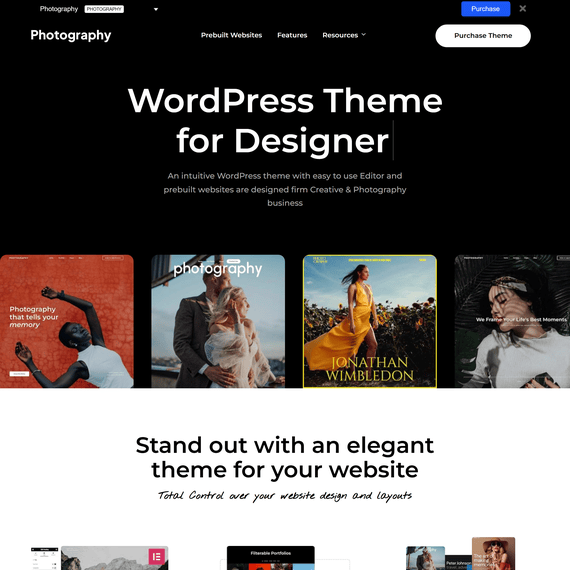
Photography starts from a simple idea: the images should do the talking, and the theme should get out of the way. This is a clean, minimal WordPress theme built specifically for photographers, creative studios, and design agencies that need their portfolio to breathe. Instead of forcing every photographer into the same template, Photography ships with 24 predefined demo sites spanning light and dark color schemes, so a wedding photographer working in soft, airy tones and a fashion studio going for high-contrast drama can both find a starting point that already looks like their brand.
The visual language throughout leans on generous white space, fullscreen imagery, and parallax scrolling effects that give galleries a sense of depth without slowing down the browsing experience. One-page layouts are baked into several demos for photographers who want a single scrolling narrative rather than a multi-page site structure. Every layout is responsive by default, which means a landscape series shot for desktop viewing still holds its composition on a tablet or phone screen, rather than getting cropped or squeezed into something the photographer never intended.
What separates Photography from a typical portfolio template is how deeply the design system is tied to gallery presentation. With more than 70 predesigned templates for photo galleries and portfolios, plus 9 single portfolio layouts and 8 distinct menu styles, the visual variety isn’t decorative filler — it’s a working toolkit for photographers who shoot in different formats and need their site to adapt to the work, not the other way around.
Customization Options
Because Photography is released under the GPL license, you have full freedom to modify the theme’s code, adapt it for client projects, and reuse it across multiple websites without licensing restrictions holding you back. That freedom pairs naturally with the theme’s own customization tools, which are built to let non-developers make real design decisions without touching a line of PHP or CSS.
The centerpiece is the Intuitive Live Content Builder, styled with a Keynote app-like interface that shows a content inspector alongside a live preview. You can work in Live Mode to watch every change render instantly, or switch to Classic Mode once you know the builder well enough to move faster without the live rendering overhead. Rather than picking icons from a dropdown, the builder shows actual screenshots of each content module as you add it — portfolio grids, galleries, testimonials, blog feeds — so you know what you’re placing before it lands on the page. Layouts you build can be saved as templates and reapplied to new portfolio pages or site pages later, which cuts down considerably on repetitive setup work for photographers managing several projects or client sites at once.
Beyond the builder, the theme integrates fully with the native WordPress Customizer. Typography is a particular strength here: over 500 Google Fonts are included, and you can independently set font family, size, and weight for main content versus each heading level, H1 through H6, all while previewing the results live. Responsive preview is built into the Customizer too, so switching between desktop, tablet, and mobile views takes one click rather than a manual resize of your browser window. Colors, backgrounds, and layout types all update in real time as you adjust them, which turns what used to be a guess-and-refresh workflow into something far more direct.
Built-in Features & Sections
Photography is not just a display case — it’s built to help photographers run a business around their images. WooCommerce integration lets you start selling prints and artwork directly from your site, and the direct purchase link option means you can attach a buy link to individual images inside a gallery rather than routing every sale through a separate shop page. A client browsing a gallery can click straight through to purchase the one photograph they liked, which removes friction from what is often an impulse decision.
For photographers who handle client work, the client gallery system is where this theme distinguishes itself from generic portfolio themes. You can create individual client pages, assign specific galleries to each client, and password-protect those pages so only the intended recipient can view them. A client archive page then lists every client in one place, and each client simply clicks their own photo to reach their private login. Layered on top of that is photo proofing: give a client access to a gallery and let them approve or reject individual images themselves, which speeds up the selection process on shoots like weddings or portrait sessions where back-and-forth emails over image choices can drag on for weeks.
Image protection is built in as well. Password-protected galleries, right-click protection, and image-dragging protection combine to make casual copying more difficult, which matters to photographers who’ve had watermark-free images lifted from an unprotected site before.
On the content side, the theme separates Gallery and Portfolio as distinct modules. Galleries are for grouped image sets you can bulk-upload, while Portfolio entries support text, images, and video from YouTube, Vimeo, self-hosted files, or a custom link — useful for videographers or multimedia artists working alongside still photography. Ten blog templates round out the content options, with support for photo posts, gallery slideshows, video embeds, and even SoundCloud audio, so a blog documenting a shoot can mix media types without needing a separate plugin. Eight menu layouts, each with its own styling options, let you match navigation to the mood of the rest of the site, whether that’s a minimal top bar or something more structural.
All 24 demo sites import with a single click, pulling in pages, posts, sliders, widgets, and theme settings together, so the gap between installing the theme and having a working site is short. The theme is also listed as compatible with Elementor and Elementor Pro, WooCommerce, WPML, bbPress, and Facebook, giving you room to extend functionality with familiar plugins rather than being boxed into the theme’s own toolset alone.
Perfect For
Wedding and portrait photographers will get the most direct value from the client gallery and proofing system — sending a couple a private, password-protected gallery after a shoot and letting them mark favorites removes an entire round of email exchanges. Fine art and landscape photographers who want to sell prints can lean on the WooCommerce integration and per-image purchase links to turn a portfolio page into a functioning storefront without redesigning the site around a shop template.
Design agencies and creative studios that need a fast way to spin up polished portfolio sites for multiple clients will benefit from the 24 demos and the save-as-template feature in the content builder — build the structure once, then adapt colors and content per client rather than starting from a blank page each time. Freelance videographers and multimedia artists get real use out of the Portfolio module’s video support across YouTube, Vimeo, and self-hosted formats, letting them mix motion work with still photography in the same layout.
Even photographers running a blog-driven personal brand — documenting travel, behind-the-scenes shoots, or tutorials — will find the ten blog templates flexible enough to support photo essays, embedded galleries, and audio content without needing a second theme or a stack of extra plugins. In short, anyone whose website’s primary job is to present and sell visual work will find this Photography WordPress theme built around that exact purpose rather than adapted from a generic business template.
Compatibility & Requirements
- Current version: 7.7.8
- Compatible with WordPress 5.9.x through 7.0.x, including all point releases in between (6.0.x through 6.9.x)
- Tags: agency, creative, fullscreen, gallery, one page, parallax, photo, photo gallery, photographer, photography
Frequently Asked Questions
Can I let clients approve or reject specific images without giving them access to my whole gallery library?
Yes. The photo proofing feature works at the individual gallery level, so you assign a specific gallery to a specific client and they only see what you’ve shared with them. They can mark images as approved or rejected directly within that gallery, which keeps the selection process contained and private rather than mixed in with your full portfolio.
If I have dozens of clients, do I need to build a separate login page for each one?
No — the client archive page handles this automatically. Once you’ve created client pages and assigned galleries to each one, the archive page lists all your clients together, and each client simply clicks their own image to reach their personal, password-protected login.
Can I actually sell prints from the site, or is the purchase link just decorative?
It’s functional. With WooCommerce installed, you can attach a direct purchase link to individual images within a gallery, so a customer can buy a specific photograph without navigating through a separate shop page first. This works alongside the standard WooCommerce checkout process you’d use for any product on the site.
Will switching between the 24 demo sites mean rebuilding my content each time?
Each of the 24 demos imports in one click, bringing in its own pages, posts, sliders, widgets, and settings together. If you’ve already added your own content before importing a different demo, it’s best to treat demo import as a starting point for a new site rather than a way to reskin an existing one, since the import is designed to set up the full demo environment rather than merge with existing content.