Description
Build a Store Around Your Own Look, Starting With Six Headers and Unlimited Colors
Most WooCommerce themes hand you a layout and ask you to live with it. Basel starts from the other direction. You pick a header from six types, choose a color scheme that isn’t limited to a preset palette, drag sections into place with WPBakery, and the store takes shape around those decisions. Swatches on product attributes and an AJAX-driven shop mean the finished result feels quick and deliberate rather than assembled from parts.
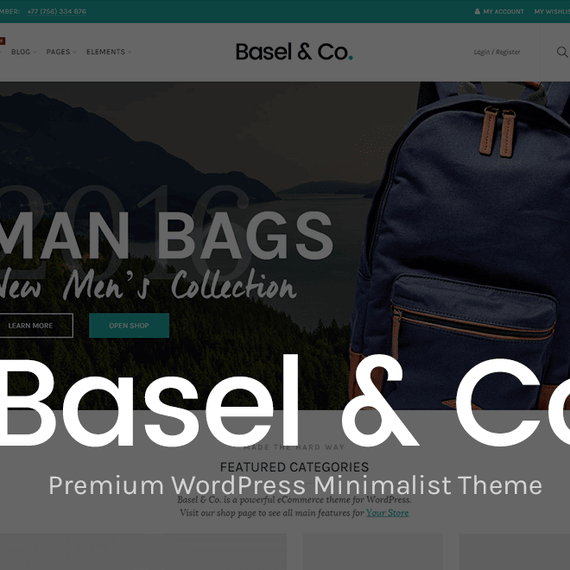
The Basel WordPress theme is a minimalist, responsive design for online shops. Clean spacing, restrained typography and generous product imagery do the work, so your catalog stays the focus. A clothing label, an electronics retailer and a furniture showroom can all use it and end up looking nothing alike.
A Clean, Minimalist Look That Holds Up on Every Screen
Layouts that give products room to breathe
Basel offers four general layouts: wide, boxed, boxed small and full width. Choose full width for a lookbook-style fashion store where photography runs edge to edge. Choose boxed when you want a contained, catalog-like frame around the content. Sidebars can sit left, right or be dropped entirely, and you can adjust their width to suit the density of your filters.
Headers with personality
The header is the first thing a shopper sees, so it gets real attention here. Six header types are available, with sticky and transparent variants, background options and color schemes for both the header and the top bar. A transparent header placed over a full-bleed hero image gives a homepage an editorial feel. A sticky one keeps the cart and search within reach as visitors scroll down a long collection page.
Header icons come from two icon fonts, Font Awesome and Line Icons, so you can match the thin-stroke minimalism of the layout or go with something bolder. The shopping cart widget also has several styles to choose from.
Responsive, with dark and RTL options
Every template adapts to phones, tablets and desktops, and the mobile side navigation slides in cleanly for small screens. A dark version of the theme is included for stores that want a moodier palette, and right-to-left support covers languages such as Arabic and Hebrew. The theme is also translation ready.
Customization Options That Don’t Require Touching Code
Settings live in an advanced options panel built on the Redux Framework. Typography draws from the full Google Fonts library, so pairing a serif headline with a clean sans-serif body takes a few clicks. Colors are unlimited, which matters when a brand guide specifies exact hex values. If you want something the panel doesn’t cover, there’s a custom CSS field right in the theme options.
Page-level control goes further than you might expect. Each page can have its own heading settings, background images, sidebar and layout. Full-width sections let you break out of the content column for a banner or a feature strip. Custom sidebars mean a shoe category can show different filters than a bag category.
Drag and drop with WPBakery
WPBakery Page Builder is included, along with a set of custom elements made for the theme. You can drop in a team members block, an animated counter, a testimonials slider, styled banners, social buttons, advanced buttons, or a Google map with its own color scheme. Product and post sliders let you feature a seasonal collection on the homepage without writing a query by hand.
Free to modify, by license
Because the theme is GPL-licensed, you’re free to adapt, extend and reuse it across your own projects. A child theme is included for tidy modifications, and the code is clean, commented and follows PHP object-oriented standards. Developers will find minified JavaScript files and a structure that’s easy to read.
Built-in Shop Features That Keep Customers Browsing
Swatches, filters and Quick View
Color and image swatches are built into WooCommerce attributes, and they can appear right on the shop page. A shopper choosing a jacket sees the available colors before opening the product. AJAX filters update results without a full page reload, AJAX search suggests products as people type, and Quick View opens a product in an overlay so they can compare items without losing their place.
Shop layouts and hover effects
- Product grids in 2, 3, 4 or 6 columns, plus a masonry option
- Four hover effects: default with icons, button on image, full info on hover, and button on hover
- Three single product layouts with small, medium or large images
- Photoswipe gallery, with thumbnails positioned left or at the bottom
- A search-by-category widget and a mega categories menu widget
Navigation, footers and content
The mega menu supports custom dropdown sizes, menu items with images, and even WPBakery blocks inside a menu. Footers come in more than ten layouts with color schemes, a prefooter area and two copyright layouts. A HTML Blocks post type lets you reuse snippets, such as a promo strip, in multiple places.
Content isn’t an afterthought. There are four blog styles, including masonry and grid, with share buttons, author bios and related post sliders. The portfolio side offers seven styles, adjustable spacing and color-schemed filters, so a studio can show work alongside its shop.
Bundled extras
- Revolution Slider for hero sections
- A wishlist plugin
- MailChimp newsletter support
- Contact Form 7 compatibility
- One-click demo data installation, with demo content files included
- WPML readiness for multilingual stores, though the plugin itself is not included
Perfect For Shops That Want to Look Distinctive
Fashion and accessories. Large imagery, color swatches on the listing page and a transparent header over a campaign photo suit a clothing or jewelry label well. Hover effects add information without cluttering the grid.
Electronics. Shoppers comparing gadgets lean on filters. AJAX filtering by attribute, plus Quick View, helps them narrow options fast, while the three-layout product page handles spec-heavy listings.
Furniture and home goods. Big single-product images with a left-hand thumbnail column show off texture and scale. Masonry grids work nicely for mixed-size room shots.
Florists, creative studios and multi-vendor setups. The portfolio styles let a designer or florist display past projects, and the multipurpose structure gives marketplaces room to organize many categories with the mega menu.
Questions Buyers Ask About Basel
Can I show color options on the shop page itself?
Yes. Basel supports color and image swatches for WooCommerce attributes, and they can be displayed on the shop listing as well as the product page. Shoppers can see which variations exist without opening each product. It’s particularly useful for apparel and accessories.
Is a page builder included, or do I need to buy one separately?
WPBakery Page Builder is bundled with the theme, along with custom elements made for Basel, such as counters, testimonials, banners and team members. Revolution Slider is also included. You can start building layouts straight away.
Can I change the theme’s code without losing my edits?
A child theme is included, which is the safest place for customizations. The theme is GPL-licensed, so you’re free to modify it. For smaller visual tweaks, the theme options panel has a custom CSS field that keeps your styling in one place.